


Hey there! As a supplier of Creative Spo2 Probes, I get asked a lot about how to check if these nifty little devices are working properly. Well, you're in luck because I'm gonna break it down for you in a super easy - peasy way.
First off, let's understand what a Creative Spo2 Probe does. It's a device that measures your oxygen saturation level (SpO2) and pulse rate. This is crucial info, especially for those with respiratory or cardiac issues. A well - functioning probe can provide accurate readings, which are essential for proper medical monitoring.
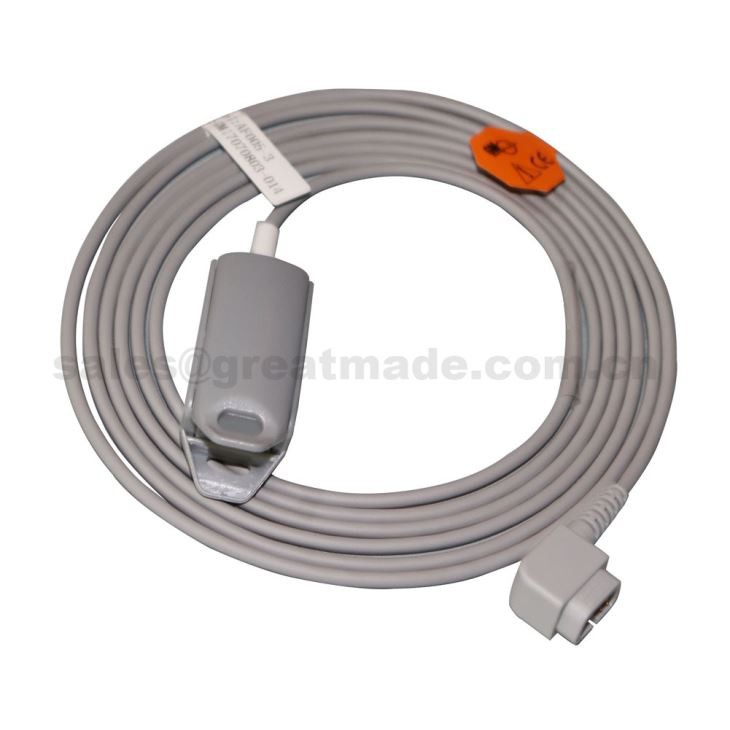

Initial Visual Inspection
The first step in checking if your Creative Spo2 Probe is working is to do a simple visual inspection. Take a good look at the probe itself. Check for any visible damage like cracks, frayed wires, or loose connections. If you spot any of these issues, it's likely that the probe might not work correctly.
Also, make sure the clip part (if it's a finger - clip probe) opens and closes smoothly. A stiff or malfunctioning clip might not make proper contact with the finger, leading to inaccurate readings. And don't forget to check the sensor at the tip. It should be clean and free of any dirt, dust, or smudges. A dirty sensor can interfere with the light transmission, which is key for measuring SpO2 levels.
Connecting to the Monitor
Once you've given the probe a visual once - over, it's time to connect it to the monitor. Make sure you're using the right cable for the connection. Some monitors have specific ports for SpO2 probes, so double - check that you're plugging it in correctly.
After connecting, turn on the monitor. You should see the monitor detect the probe. Usually, the monitor will display a message indicating that it has recognized the SpO2 probe. If it doesn't, there could be an issue with the connection or the probe itself. Try unplugging and plugging it back in a few times. Sometimes, a loose connection can be the culprit.
Taking a Test Reading
Now that the probe is connected to the monitor, it's time to take a test reading. Gently place the probe on your finger (if it's a finger - clip probe). Make sure your finger is clean and dry. Avoid using the probe on a finger with nail polish, as it can affect the accuracy of the readings.
Once the probe is in place, wait for a few seconds. The monitor should start displaying your SpO2 level and pulse rate. A normal SpO2 level is usually between 95% and 100%. If the reading is way off this range or if the numbers are fluctuating wildly, there might be a problem with the probe.
Try taking the reading on different fingers. Sometimes, blood flow can vary from one finger to another, and a bad reading on one finger might not necessarily mean the probe is faulty. If you get consistent bad readings on multiple fingers, then it's likely the probe has an issue.
Comparing with Another Probe
If you have access to another SpO2 probe, it can be a good idea to compare the readings. Take a reading with the Creative Spo2 Probe and then take a reading with the other probe at the same time. If the readings are significantly different, it could indicate that one of the probes is not working properly.
Keep in mind that different probes might have slightly different accuracy levels, but a large discrepancy is a red flag. If the other probe is known to be working well and the Creative Spo2 Probe gives very different readings, you might need to look into getting the Creative probe fixed or replaced.
Considering Environmental Factors
Sometimes, environmental factors can affect the performance of the SpO2 probe. For example, strong ambient light can interfere with the probe's sensor. If you're taking a reading in a very bright room, try moving to a darker area and taking the reading again.
Also, extreme temperatures can impact the probe's performance. If it's very cold or very hot, the probe might not work as accurately. Try to take the readings in a more moderate temperature environment.
Troubleshooting Tips
If you're still having issues with the probe, here are some troubleshooting tips. First, try resetting the monitor. Sometimes, a software glitch in the monitor can cause problems with the probe readings. Look for the reset button on the monitor and press it.
If that doesn't work, check the battery of the monitor (if it's a battery - powered device). A low - battery monitor might not provide enough power to the probe, leading to inaccurate readings. Replace the batteries if needed.
Compatibility
It's also important to consider the compatibility of the Creative Spo2 Probe with the monitor you're using. Not all probes are compatible with all monitors. Make sure the probe is designed to work with your specific monitor model.
If you're looking for compatible sensors, we have some great options. Check out our Compatible CSI medical spo2 Sensor, Adult Finger Clip Sensor Use With Nellcor 14pin, and OXY - F4 - GE Compatible Adult Finger Clip Spo2 Sensor. These sensors are known for their high - quality and compatibility with various monitors.
Conclusion
Checking if your Creative Spo2 Probe is working properly involves a combination of visual inspection, test readings, and troubleshooting. By following these steps, you can ensure that you're getting accurate SpO2 and pulse rate readings.
If you're in the market for a reliable SpO2 probe or need to replace a faulty one, we're here to help. We offer high - quality Creative Spo2 Probes and a wide range of compatible sensors. If you have any questions or want to discuss your procurement needs, feel free to reach out. We're always happy to have a chat and help you find the right products for your requirements.
References
- Medical Device Technology Handbook.
- SpO2 Monitoring Best Practices Guide.