


Hey there! As a supplier of pulse oximeters, I know how frustrating it can be when your device isn't working properly. Pulse oximeters are super handy for measuring oxygen saturation in your blood and your heart rate, but like any gadget, they can run into issues. In this blog, I'll walk you through some common problems with pulse oximeters and how to troubleshoot them.
First Things First: Check the Basics
Before you start freaking out and thinking your pulse oximeter is broken, there are a few basic things you should check.

Battery Check
Most pulse oximeters run on batteries, so the first thing you should do is check if the batteries are properly inserted and have enough juice. If the batteries are low, replace them with fresh ones. Sometimes, just changing the batteries can solve the problem.
Sensor Placement
The sensor of the pulse oximeter needs to be placed correctly on your finger or other body part for accurate readings. Make sure your finger is clean and dry, and place it firmly in the sensor. The light on the sensor should be shining through your finger. If the sensor is not placed correctly, you may get inaccurate readings or no readings at all.
Finger Size
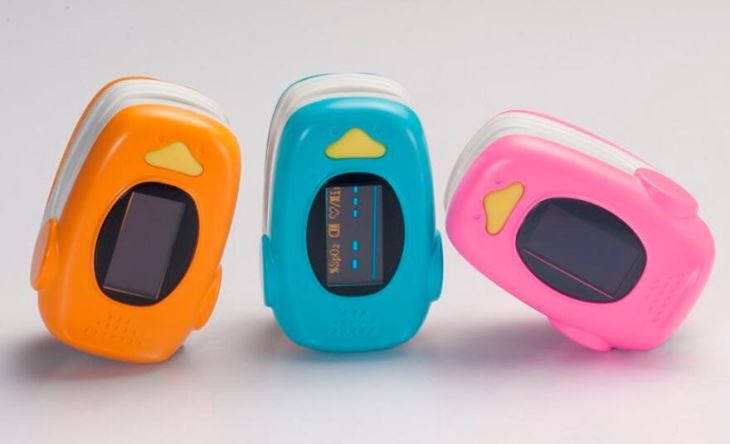
Some pulse oximeters are designed for specific finger sizes. If your finger is too big or too small for the device, it may not work properly. Check the product specifications to see if your finger size is within the recommended range. If not, you may need to try a different model, like the Children Fingertip Pulse Oximeter which is designed for smaller fingers.
Common Problems and Solutions
No Display
If your pulse oximeter has no display, it could be due to a few reasons. First, check the batteries as mentioned earlier. If the batteries are fine, there may be a problem with the device itself. Try resetting the oximeter by removing the batteries for a few minutes and then reinserting them. If the problem persists, it may be a hardware issue, and you should contact the manufacturer for further assistance.
Inaccurate Readings
Inaccurate readings can be caused by several factors. One common cause is movement. If you are moving your finger or body too much while using the oximeter, it can affect the readings. Try to keep your hand still and relaxed while taking a reading.
Another factor that can affect accuracy is poor circulation. If your hands are cold or you have poor blood flow to your fingers, the oximeter may not be able to get an accurate reading. You can try warming your hands by rubbing them together or using a warm compress before taking a reading.
Also, make sure there are no foreign objects on the sensor or your finger. Dirt, oil, or nail polish can interfere with the light passing through your finger and cause inaccurate readings. Clean the sensor and your finger before using the oximeter.
Error Messages
Some pulse oximeters may display error messages when there is a problem. The meaning of these error messages can vary depending on the model. Check the user manual for your specific oximeter to see what the error message means and how to fix it. For example, an "ERR" message may indicate a problem with the sensor or a low battery.
Advanced Troubleshooting
If you have tried all the basic troubleshooting steps and your pulse oximeter is still not working, there are a few more advanced things you can try.
Software Update
Some modern pulse oximeters have software that can be updated. Check the manufacturer's website to see if there are any software updates available for your device. Updating the software may fix any bugs or glitches that are causing the problem.
Calibration
In some cases, your pulse oximeter may need to be calibrated. Calibration is a process of adjusting the device to ensure accurate readings. Not all pulse oximeters can be calibrated by the user, so check the user manual to see if this is an option. If it is, follow the instructions in the manual to calibrate the device.
Contact the Manufacturer
If you have tried everything and your pulse oximeter is still not working, it's time to contact the manufacturer. They may be able to provide further troubleshooting steps or arrange for a repair or replacement. Make sure you have the model number and serial number of your oximeter handy when you contact them.
Conclusion
Troubleshooting a pulse oximeter that is not working can be a bit of a hassle, but by following these steps, you should be able to identify and fix most problems. Remember to check the basics first, like the batteries and sensor placement, and then move on to more advanced troubleshooting if needed.
If you are in the market for a new pulse oximeter or need a replacement for a faulty one, we offer a wide range of high-quality pulse oximeters, including the Neonatal Pluse Oximeter PC-60NW and the Pulse Oximeter Blood Oxygen SPO2 Heart Rate Health Monitor. If you have any questions or would like to discuss your procurement needs, feel free to reach out to us. We're here to help you find the right solution for your needs.
References
- Pulse oximeter user manuals
- Manufacturer's websites for technical support and product information